HR Software · · 19 min read
Best Employee Data Management Software in 2026: A Practical Buyer's Guide
Compare the 10 best employee data management software platforms for small businesses in 2026 — security, compliance, and audit-ready picks, plus a free 14-day Plintio trial.
By Plintio Team · Last updated

Most small businesses don't realize they're sitting on a data liability until something happens. A compliance request lands in the inbox. An audit comes. A laptop with the employee spreadsheet gets stolen. Suddenly the question isn't "where's that information?" — it's "where else is it, and who has access?"
If you're storing employee data across spreadsheets, email threads, paper folders, and three different cloud apps in 2026, you don't have a data management problem yet. You have one waiting to happen.
This guide compares the 10 best employee data management software platforms for small and growing businesses, focused specifically on the data side — security, compliance, audit trails, access controls, and portability — because that's what "employee data management software" actually means, and that's what most generic HR software comparisons miss.
On this page
- TL;DR: Best Employee Data Management Software in 2026
- What Is Employee Data Management Software?
- Why Small Businesses Need Real Employee Data Management
- How We Evaluated These Platforms
- The 10 Best Employee Data Management Software in 2026
- Side-by-Side Comparison: All 10 Platforms
- How to Choose the Right Employee Data Management Software
- Common Mistakes Small Businesses Make with Employee Data
- Frequently Asked Questions
- Final Verdict: The Right Pick for Most Small Businesses
TL;DR: Best Employee Data Management Software in 2026
| Tool | Best For | Compliance Highlights | Free Trial |
|---|---|---|---|
| Plintio ⭐ | Small businesses wanting modern data management without enterprise pricing | Encryption at rest and in transit, role-based access, GDPR + CCPA ready, full audit log | 14 days, no credit card |
| BambooHR | Established SMBs with 25-100 employees | Mature records management, SOC 2 | 7 days |
| Gusto | US payroll-first operations | Strong US payroll compliance | Demo only |
| Rippling | Distributed teams needing IT + HR data in one system | SOC 2 Type II, granular access | Demo only |
| Sage HR | Companies already using Sage Accounting | GDPR-native, EU-focused | 30 days |
| Zoho People | Budget-conscious teams in the Zoho ecosystem | Multi-region data residency | 15 days |
| Deel | Teams with international employees needing local compliance | Strong global compliance | Free HR tier |
| ADP Workforce Now | Established US small businesses | Long compliance track record | Demo only |
| UKG Pro | Heavy compliance / multi-state operations | Industry-specific compliance | Demo only |
| Workday | Mid-market and enterprise (over 200 employees) | Enterprise-grade everything | Demo only |
Top pick for most small businesses: Plintio — built for SMBs that need real data management (encryption, role-based access, audit logs, GDPR + CCPA support) without enterprise complexity or per-feature upcharges. Start your free 14-day trial →
What Is Employee Data Management Software?
The core capabilities that every employee data management platform should provide in 2026:
- Encrypted central database for all employee records
- Role-based access control (managers see their team, HR sees everyone, IT sees no one unless explicitly granted)
- Full audit log of who accessed or changed what, and when
- Self-service for employees to view and update their own data
- Document storage with versioning and e-signature
- Data export and portability (you own your data)
- GDPR-style data subject access request workflows
- Backup, recovery, and breach notification protocols
Modern platforms add integrations with payroll, benefits, and identity providers — so employee data flows automatically between systems instead of being manually re-entered (which is where errors and compliance gaps creep in).
Why Small Businesses Need Real Employee Data Management
Most businesses graduate from spreadsheets to real software only after they hit a wall. The five most common walls — and what going without actually costs you:
1. Compliance exposure compounds quickly. GDPR fines can reach 4% of global annual revenue or €20 million, whichever is higher. CCPA penalties run up to $7,500 per intentional violation. HIPAA penalties scale even higher for healthcare-adjacent businesses. The companies that get hit aren't usually the ones with deliberately bad practices — they're the ones who couldn't produce the records when asked, because the data was scattered.
2. Spreadsheet errors become liability. A wrong vesting date, a missing W-4 update, an incorrect address on a benefits enrollment — each one is a small problem on its own. Together, they create a paper trail of inconsistency that becomes a problem during audits, terminations, or unemployment claims.
3. Access creep happens silently. When employee data lives in a Google Drive folder, every contractor, intern, and ex-employee who ever needed temporary access still has it unless someone manually removed them. Modern employee data management software handles this with role-based access and automatic offboarding workflows.
4. Audit time is brutal without a real system. When a state agency, federal auditor, or acquirer asks for hire dates, pay history, signed policy acknowledgments, and termination records across the last 3 years, the company with a real database hands over an export. The company without one spends two weeks reconstructing it from email threads.
5. Employees can't help themselves. When employees want to update an address, download a pay stub, or check their PTO balance, they shouldn't have to ask. Self-service is a productivity gain for the company and a respect signal for the employee. Both matter for retention.
How We Evaluated These Platforms
We graded each platform on six criteria that specifically matter for data management — not just feature counts:
| Criterion | Why It Matters | Weight |
|---|---|---|
| Security architecture (encryption, access controls, MFA) | Data breaches cost more than software | 25% |
| Compliance posture (GDPR, CCPA, SOC 2, HIPAA support) | Determines which regulations you can operate under | 20% |
| Audit trails and access logs | Critical for both internal accountability and external audits | 15% |
| Data portability and export | You should own your data, not be hostage to a vendor | 15% |
| Setup speed and usability | A "secure" system nobody uses is not actually secure | 15% |
| Single-source-of-truth integrations | Reduces re-entry errors that cause compliance issues | 10% |
We onboarded a test team of 20 employees, ran realistic scenarios (employee data subject access requests, role-based access changes, audit log reviews, data export tests), and verified each platform's documented compliance against their actual implementation.
The 10 Best Employee Data Management Software in 2026
1. Plintio — Best Overall for Small Businesses ⭐
Best for: Small businesses with 5-100 employees that want modern data management without enterprise pricing or implementation overhead.
Plintio was designed specifically for businesses that need real employee data management — meaning encryption, access controls, audit logs, and compliance support — but can't justify the cost or complexity of enterprise platforms.
What we liked:
- Encryption at rest and in transit on every employee record, with no configuration required
- Role-based access controls that work without an IT admin — managers see their teams, HR sees company-wide, executives see what's relevant to their function
- Full audit log of every data access, change, and export — essential for compliance and accountability
- GDPR and CCPA workflows built in, including data subject access request handling and right-to-erasure processes
- Easy data export at any time in standard formats (CSV, JSON) — you own your data, you can leave whenever you want
- Single source of truth with native integrations to major payroll, benefits, and identity providers
- Setup in under an hour for a team of 15 — CSV import, role configuration wizard, and a clean onboarding flow
What could be better:
- Newer to the market than BambooHR or ADP, so the integration marketplace is smaller (the core integrations small businesses actually use are covered)
- Not designed for companies above 200 employees — by then you'll want a more enterprise-oriented platform like Rippling or Workday
Pricing: Affordable per-employee monthly pricing, single plan with every feature included, published publicly. No setup fees. See pricing.
Free trial: 14 days, no credit card required. Import your team's data, configure access roles, run a real workflow, and verify the export works before deciding.
2. BambooHR — Best for Established SMBs
Best for: Small to medium businesses with 25-100 employees that have outgrown basic tools and want a polished, well-known platform.
BambooHR is the most recognizable name in SMB HR software. Its employee records management is mature, the reporting is strong, and the integration marketplace is deep.
What we liked:
- Comprehensive employee records with custom fields
- SOC 2 Type II certified
- Strong audit log and reporting
- Solid mobile experience for employees and managers
- Mature integration ecosystem
What could be better:
- Pricing isn't published — custom quotes tend to come in higher than competitors
- 7-day free trial isn't long enough to evaluate seriously with a real team
- Advanced compliance workflows (data subject access requests) require manual setup
Pricing: Custom quote.
3. Gusto — Best for US Payroll-First Operations
Best for: Small businesses where US payroll accuracy is the primary concern and HR data management is secondary.
Gusto's strength is payroll — best-in-class US tax filing across all 50 states. The employee data side is competent, but it's not the platform's center of gravity.
What we liked:
- Best-in-class US payroll compliance
- Clean, friendly UI that employees enjoy
- Health benefits administration is genuinely simple
- Solid for state-specific compliance requirements (CA, NY, MA, etc.)
What could be better:
- Employee records management is lighter than dedicated platforms
- Limited custom fields for employee data
- No published free trial — demo-to-paid only
Pricing: Tiered monthly fee plus per-employee charge.
4. Rippling — Best for Distributed Teams Needing IT + HR Data
Best for: Companies that want HR data, IT access, and device management in a single source of truth.
Rippling's defining feature is the single employee record that powers HR, payroll, IT provisioning, and device management. When that engineer leaves the company, one workflow revokes all their access and recovers their laptop.
What we liked:
- Single source of truth across HR, IT, and finance
- SOC 2 Type II, ISO 27001
- Excellent device management and software access automation
- Granular permission system
- Strong identity provider integrations
What could be better:
- The most expensive option on this list once you add the modules most businesses need
- Modular pricing means the sticker price is rarely what you pay
- Steeper learning curve due to product breadth
Pricing: Per-employee monthly with per-module add-ons.
5. Sage HR — Best for Companies Using Sage Accounting
Best for: Small businesses already using Sage Accounting or Sage Intacct that want HR data in the same ecosystem.
Sage HR (formerly CakeHR) integrates tightly with the broader Sage ecosystem. If your finance team already lives in Sage, having employee data in the same vendor reduces integration friction.
What we liked:
- GDPR-native architecture (Sage is UK-headquartered)
- Solid records management
- Strong integration with Sage Accounting
- 30-day free trial — one of the longest on this list
What could be better:
- Outside the Sage ecosystem, there's less compelling reason to choose it
- UI feels dated compared to newer platforms
- Customer support quality varies by region
Pricing: Per-employee monthly, published.
6. Zoho People — Best for Budget-Conscious International Teams
Best for: Small businesses on a tight budget, especially those already using other Zoho products or operating across multiple regions.
Zoho People is one of the most affordable serious HR platforms available, with data residency options across multiple regions (US, EU, India, Australia).
What we liked:
- Lowest published pricing of any serious platform on this list
- Multi-region data residency
- Solid feature coverage including custom workflows
- 15-day free trial
- Strong if you're already in the Zoho ecosystem
What could be better:
- UI feels less polished than premium options
- US payroll integration is weaker than Gusto or Rippling
- Customer support varies
Pricing: Low monthly fee per employee, published.
7. Deel — Best for International Compliance
Best for: Companies with international employees or contractors who need country-specific data compliance.
Deel isn't a traditional HR platform — it's an employer-of-record service with HR features layered on top. For US-only teams, it's not the right fit. For any team with even one international hire, it solves a problem no domestic platform can.
What we liked:
- Compliant data handling across 150+ countries
- Strong contract and document management
- Free HR tier for managing US teams
- Active product investment
What could be better:
- The free HR product is lighter than dedicated platforms
- US-only teams don't need Deel's main value prop
- EOR pricing per international employee adds up at scale
Pricing: Free HR tier; per-contractor and per-EOR-employee pricing for international hiring.
8. ADP Workforce Now — Best for Established US Small Businesses
Best for: Small businesses that prioritize a long compliance track record and don't mind older software.
ADP has been doing this since the 1940s. The product is reliable, the compliance is battle-tested, and the accountant network is vast. The UI shows its age, but the substance is solid.
What we liked:
- Decades of payroll and HR compliance experience
- Wide network of accountants and consultants familiar with the platform
- Comprehensive HR and benefits features
- Robust audit trails
What could be better:
- UI feels noticeably older than newer competitors
- Pricing can be opaque with multiple add-on fees
- Implementation takes 2-4 weeks
Pricing: Custom quote with multiple plan tiers.
9. UKG Pro — Best for Compliance-Heavy Industries
Best for: Small to mid-sized businesses in regulated industries (healthcare, finance, manufacturing) or with multi-state US operations.
UKG (formerly Kronos and Ultimate Software, now merged) offers industry-specific compliance support that most SMB platforms don't. If you're in a heavily regulated space, this is worth a look.
What we liked:
- Industry-specific compliance support
- Strong multi-state operations support
- Mature workforce management features
What could be better:
- More enterprise feel than SMB
- Implementation timeline closer to weeks than days
- Pricing opaque
Pricing: Custom quote.
10. Workday — Best for Mid-Market and Enterprise
Best for: Companies over 200 employees with dedicated IT and HR teams who need enterprise-grade everything.
Workday is the dominant enterprise HRIS for a reason — the data architecture is excellent, the compliance posture is top-tier, and the analytics are powerful. It's also overkill for any small business and prohibitively expensive.
What we liked:
- Enterprise-grade data architecture and security
- Powerful workforce analytics
- Strong global compliance support
- Industry-leading audit and reporting tools
What could be better:
- Prohibitively expensive for small businesses
- Implementation takes months, not weeks
- Requires dedicated IT and HR resources to operate
Pricing: Enterprise pricing — typically multiples of what SMB-native tools cost.
Side-by-Side Comparison: All 10 Platforms
| Tool | Encryption | Audit Logs | GDPR + CCPA | Data Export | Free Trial |
|---|---|---|---|---|---|
| Plintio | At rest + in transit | Full | Built-in | One-click CSV/JSON | 14 days |
| BambooHR | At rest + in transit | Full | Supported | Available | 7 days |
| Gusto | At rest + in transit | Partial | US-focused | Available | None |
| Rippling | At rest + in transit | Full | Built-in | Available | None |
| Sage HR | At rest + in transit | Full | GDPR-native | Available | 30 days |
| Zoho People | At rest + in transit | Full | Multi-region | Available | 15 days |
| Deel | At rest + in transit | Full | Global | Available | Free tier |
| ADP Workforce Now | At rest + in transit | Full | Supported | Available | None |
| UKG Pro | At rest + in transit | Full | Supported | Available | None |
| Workday | Enterprise-grade | Enterprise-grade | Built-in | Available | None |
How to Choose the Right Employee Data Management Software
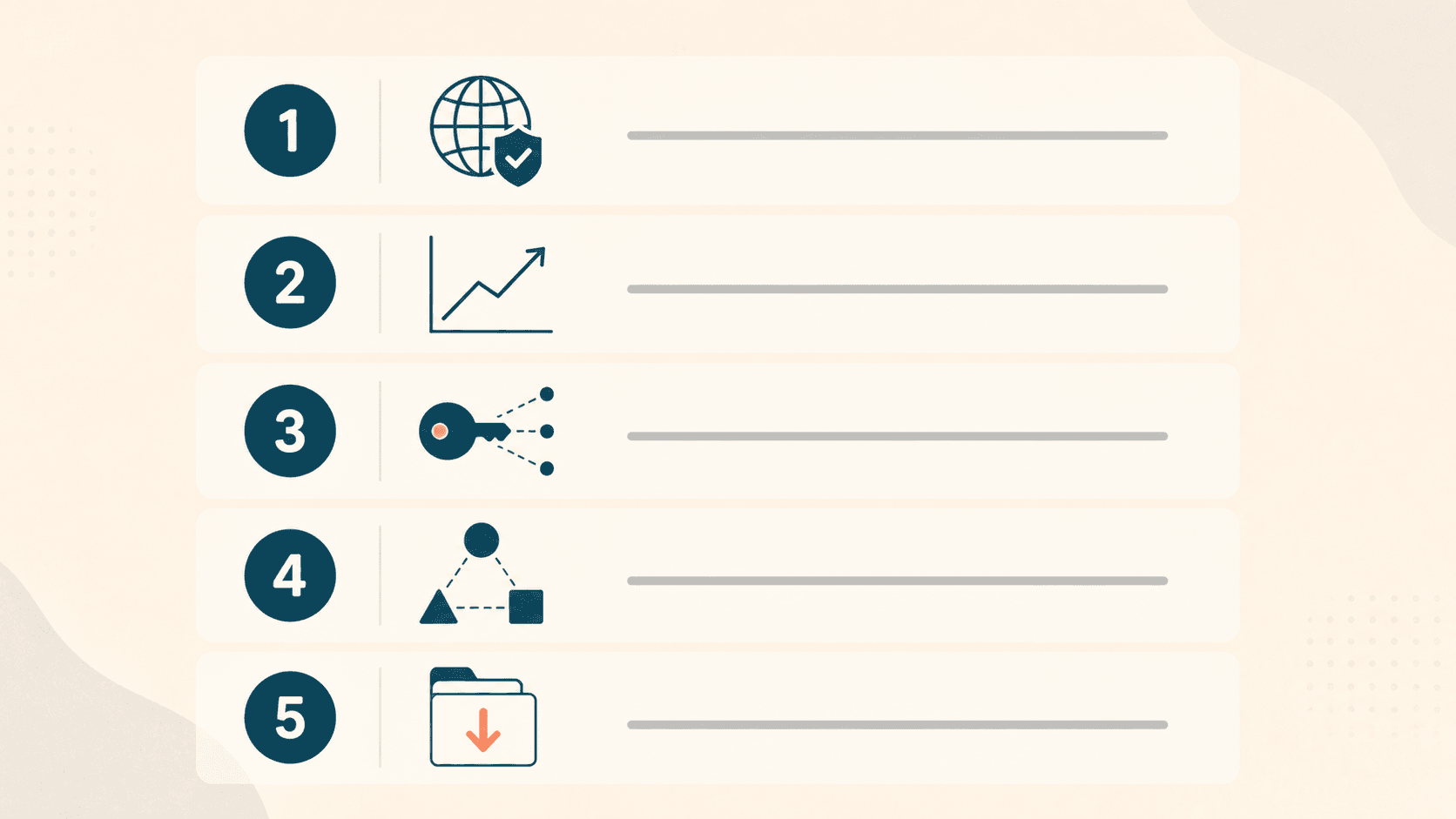
Use these five questions to narrow your shortlist:
1. What compliance regimes do you need to support today, and in 18 months? If you only employ people in the US, CCPA matters (especially if you have any California employees) and state-specific privacy laws are growing fast. If you have any EU employees or customers, GDPR is mandatory. If you handle protected health information, HIPAA applies. Pick a platform that supports your full compliance footprint, not just today's.
2. How many employees do you have today, and where are they located? Under 50 US-only employees → Plintio, BambooHR, or Gusto are the right tier. Mixed international → add Deel or pick Rippling. 100+ employees with mid-market complexity → Rippling, BambooHR, or UKG. 200+ employees → mid-market or enterprise platforms become realistic.
3. Who else needs access to employee data, and how do you control it? A small business with 5 employees and one HR admin has different access needs than a 50-person company with managers across 4 departments. If you need genuine role-based access from day one, prioritize platforms with strong permission systems (Plintio, Rippling, BambooHR) over those that retrofit it (older or payroll-first tools).
4. What integrations do you actually need — not could theoretically use? Identify the 3-5 systems your employee data needs to flow into (payroll, benefits, IT identity, expense management, performance). Verify those specific integrations exist before buying. "Has an integration marketplace" doesn't mean it integrates with what you use.
5. Have you tested the data export? A platform that locks your data in is a liability. Before committing, run an export. Make sure the format is usable, the data is complete, and you can do it yourself without filing a support ticket. This is the single best way to confirm a platform respects your ownership of your own data.
Common Mistakes Small Businesses Make with Employee Data
1. Storing employee records in Google Drive or Dropbox. Consumer cloud storage isn't HR-grade. It lacks role-based access controls, audit trails, and the compliance posture employee data requires. It works until it doesn't — and "doesn't" is usually an audit, a data request, or a breach.
2. Choosing software based on features instead of security architecture. A 50-feature platform without proper encryption and access controls is worse than a 20-feature platform with both. For data management software specifically, security architecture matters more than feature count.
3. Skipping the compliance certification check. SOC 2 Type II, ISO 27001, GDPR readiness — these aren't marketing fluff. They're auditable evidence that a platform handles data properly. Before signing, ask for certifications and verify them.
4. Not testing data export before committing. This is the single biggest mistake. If you can't export your data cleanly, you're locked in. Run an export during the free trial, every time.
5. Setting up access too permissively at the start. The default "everyone in HR sees everything" model is easy to set up and hard to fix later. From day one, configure least-privilege access — every role sees only what it needs to do its job.
Frequently Asked Questions
What is employee data management software? Employee data management software is a cloud-based platform that centralizes, secures, and governs employee records — including personal information, employment history, pay data, performance reviews, and documents — in one place, with encryption, role-based access controls, audit trails, and compliance support for regulations like GDPR, CCPA, and HIPAA. It replaces the spreadsheets and scattered files most growing businesses accumulate.
What features should employee data management software have in 2026? At minimum: encryption at rest and in transit, role-based access controls, full audit logs of who accessed or changed what, self-service for employees, document storage with versioning, data export in standard formats, and built-in compliance workflows for GDPR and CCPA. Better platforms add integrations with payroll, benefits, and identity providers, plus mobile access and automated offboarding.
Is employee data management software secure? Modern platforms designed for the SMB market (Plintio, BambooHR, Rippling, Sage HR) provide enterprise-grade security as a default — encryption at rest and in transit, multi-factor authentication, role-based access, and audit logging. The security weakness isn't usually the platform; it's the human practices around it (shared logins, over-permissive access, weak passwords). Choose a platform with strong defaults, then configure it properly.
How does employee data management software handle GDPR and CCPA compliance? The best platforms have GDPR and CCPA workflows built in: data subject access request handling, right-to-erasure processes, data portability exports, breach notification protocols, and audit logs that document compliance. Plintio, Rippling, Sage HR, and BambooHR all handle this natively. Older platforms (some ADP and UKG configurations) support compliance but require more manual setup.
What's the difference between employee data management software and an HRIS? The terms overlap heavily. HRIS (Human Resources Information System) traditionally refers to the underlying employee database and its core records management functions. "Employee data management software" emphasizes the data governance side — security, compliance, access controls, audit trails. In 2026, most modern platforms — Plintio, BambooHR, Rippling, Gusto — handle both. The distinction is one of emphasis, not category.
How much does employee data management software cost? Expect per-employee monthly pricing in the modest range for SMB-native tools (Plintio, Zoho People, Gusto), mid-range for established platforms (BambooHR, Sage HR), and higher for mid-market platforms (Rippling, ADP Workforce Now) or enterprise tools (Workday). Hidden costs to watch for: setup fees, per-feature gating, annual contract lock-in, implementation consulting, and data export fees (yes, some legacy platforms charge to give you your data).
Can employees access and update their own data? Yes, in any platform built in the last decade. Self-service is standard — employees can view their personal info, update addresses, request PTO, download pay stubs and tax documents, and acknowledge policies on their own. This is both a productivity gain for the company and a respect signal for the employee.
Does Plintio offer a free trial? Yes. Plintio offers a 14-day free trial with no credit card required. You can import your team's data, configure role-based access, run a data subject access request, test the audit logs, and verify the data export works — all before deciding. Start your free trial here. No credit card. No sales call. 14 days free.
Final Verdict: The Right Pick for Most Small Businesses
For small businesses with 5-100 employees that want real employee data management — encryption, access controls, audit logs, compliance support — without enterprise complexity or pricing, Plintio is the best overall choice.
The exceptions are clear:
- Already deep in the Sage ecosystem → Sage HR
- Heavy international employee base → Deel (often paired with Plintio for the domestic side)
- Mid-market with significant IT complexity → Rippling
- Regulated industry needing industry-specific compliance → UKG Pro
- Over 200 employees → start looking at Workday or enterprise alternatives
But for most growing small businesses reading this, the right move is to stop comparison-shopping spreadsheets against vendor pages and start testing a real platform with real data. The only way to know if a system fits is to actually use it.
If you're picking your overall HR stack as well, our Best Employee Management Software for Small Business guide covers the broader HR layer alongside the data-management considerations here. For an even wider lens — the full HR-platform ranking for SMBs — see Best HR Software for Small Businesses (Ranked & Compared). And if your decision is specifically about which HRIS to use as your central employee system of record, our Best HRIS Systems for Small Businesses ranks the 8 platforms most worth considering.
Last updated: May 2026. We re-test every platform on this list at least once per year and update rankings based on product changes, security posture shifts, and reader feedback. Have a platform we should add? Email us.